
Trafficity Bottleneck Diagnosis: Find the Real Jam
A five-step routine for Trafficity jams: read the overlay, check the exit, test the connections, time the phase and only then rebuild the junction.
Most players rebuild the wrong junction. The red is at the corner, so the corner gets a signal or a second lane, and the red moves fifty metres up the road and comes back the next day. The junction was never the problem - it was where the queue became visible.
This page is a diagnostic routine you can run in about two minutes per jam. It works at any city level and it costs nothing to run before you spend money on a rebuild.
If the vocabulary here is new, read intersection basics→ first so the diagnosis has names for what it is looking at.
Step 1: Watch a full cycle, not a moment
Open the traffic overlay and watch the same stretch of road for a complete rush-hour cycle. Traffic in Trafficity is bursty: at any single instant a road can look red because a batch of cars arrived at once.
What matters is the shape of the red over time:
- Red that clears between cycles = the junction is at its limit but working. Watch it, do not rebuild it yet.
- Red that persists across cycles = there is a structural limit. Continue the routine.
- Red that grows along the road = the queue is being pushed backwards. The cause is downstream, not at the red segment's far end.
Where a queue starts and which way it extends tells you more than its colour. A queue extending upstream means a blockage downstream; a queue extending downstream means the road is under capacity.
Step 2: Check the exit before the junction
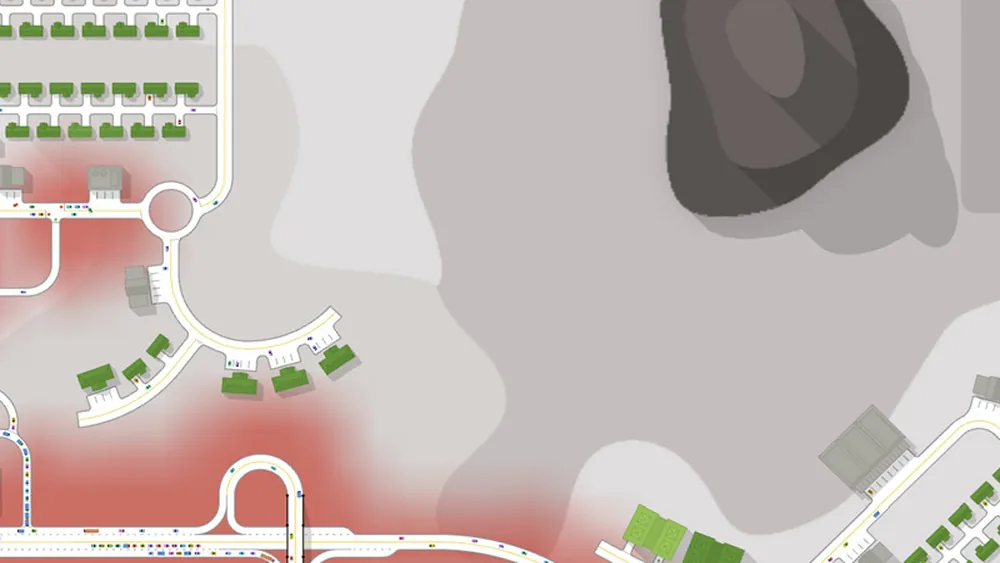
The most common real bottleneck is not the junction but the road beyond it. If cars cannot leave the junction, the junction fills from the far side and every approach turns red together.
Look for three things:
- Is there a junction immediately downstream that is also red?
- Is the receiving road narrower than the junction's throughput?
- Is there a turn or a merge just beyond the junction that forces cars to stop?
If any is true, the fix is downstream: widen the exit road, move the next junction further away, or add a lane to the movement that leaves.
Step 3: Verify the connections
Before touching capacity, confirm the junction actually permits the movements the cars want. A missing connection produces a queue that looks exactly like an under-capacity junction: one lane stacked, another lane beside it empty.
The check is mechanical. Open the junction, look at each incoming lane, and confirm it has at least one outgoing connection that leads where the traffic is going. The signature of a missing connection is a long queue beside a short one. The lane connections page→ shows the patterns.
Step 4: Time the phase
If the junction is signalised and the connections are correct, the next suspect is the phase timing. A phase that ends while cars are still crossing the stop line is too short for that movement. A phase where the junction sits empty for several seconds is too long.
Two things to check first:
- Is the heavy movement in its own phase? If it shares with a light movement, the green is being spent on cars that are not there.
- Is a left turn blocking the through lane? That is a connection problem and a phase problem at once - the left needs a pocket and its own protected phase.
The traffic lights guide→ gives starting durations in seconds.
Step 5: Only now rebuild
If the exit is clear, the connections are present and the phases are timed, the junction is genuinely over capacity. Now the fix is a rebuild, and the choice follows the movement pattern:
| Pattern | Rebuild to |
|---|---|
| Three or four mixed turning entries | Roundabout |
| Heavy two-way through traffic | Signal with protected lefts |
| One dominant through movement plus a minor road | Long green for the heavy movement |
| Two heavy arterials crossing | Grade separation |
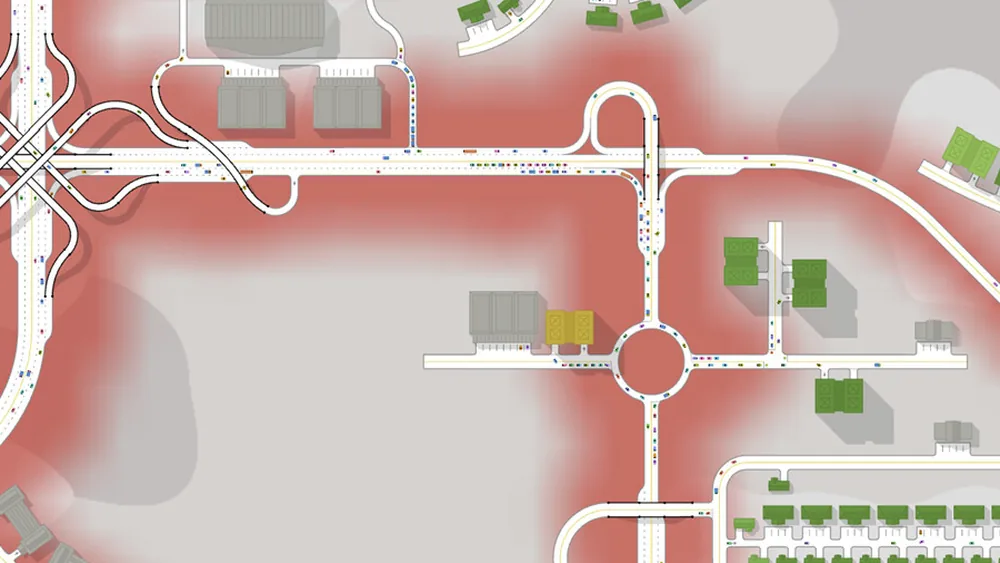
A rebuild that "fixes" a jam for one cycle is usually a rebuild that moved the queue. If the red returns in the same place after a day of growth, the diagnosis missed a downstream cause.
Why this order matters
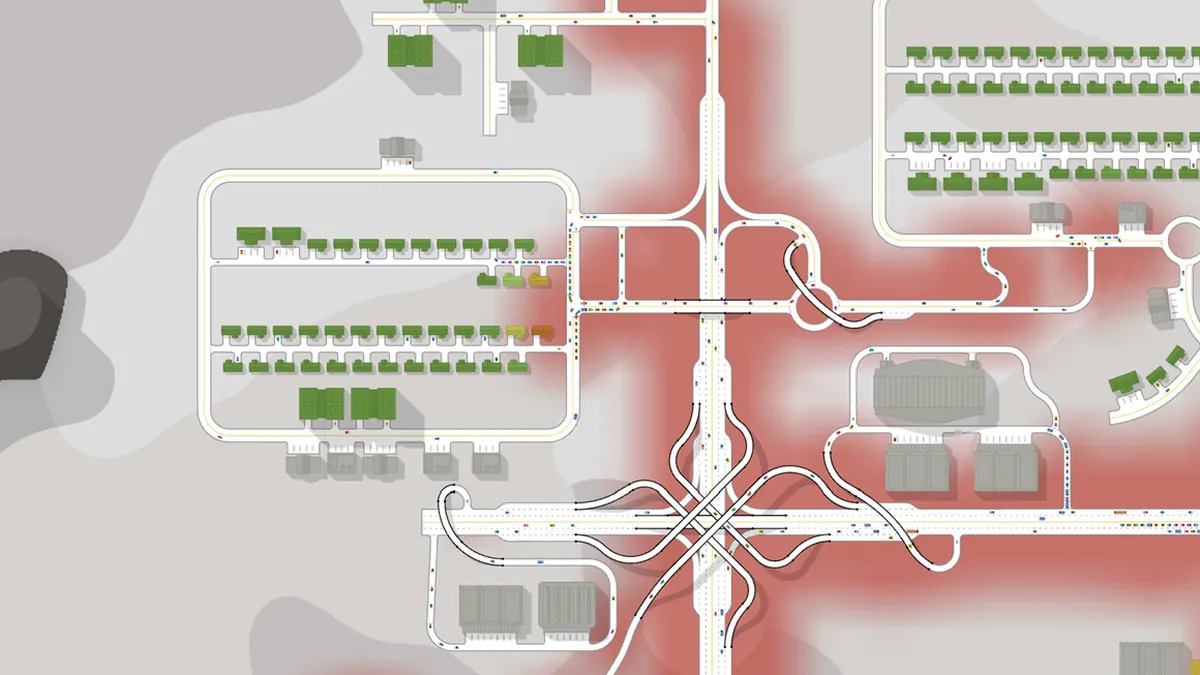
The routine is ordered by cost. Watching the overlay is free. Checking an exit is free. Verifying connections is free. Retiming a phase costs a minute. Rebuilding a junction costs money, land and often a district block.
Doing them in that order means you spend money last, and only on the junction that is actually the constraint. It also means that when you do rebuild, you know what result you expect - which is the only way to tell whether the rebuild worked.
Keeping a record
Trafficity does not give you a diagnostic dashboard, so the record is yours. A short note per district - what the overlay looked like, what you changed, what happened after - turns a series of guesses into a method. After ten rebuilds you will recognise the shape of a downstream block without needing to check the exit.
The traffic metrics page→ explains what the overlay actually shows and how to compare two versions of the same junction fairly. The rush hour guide→ explains why the same junction can look fine at noon and fail at eight.
Where the data comes from
- Trafficity on Steam ↗ - store description, price and feature list.
- Trafficity news hub ↗ - patch notes and developer posts.
- Steam global achievement percentages ↗ - the public endpoint behind the completion figures quoted here.
Official source: Trafficity on Steam ↗
FAQ
How do I know which junction is the bottleneck? Watch where the queue is longest and which way it grows. A queue that starts downstream and backs up points to a blockage, not to the junction where you see the red.
Should I widen the road first? No. Widening moves the queue and hides the cause. Check the exit, the connections and the phase first.
What does a red overlay mean? It marks where cars are moving slowly or stopped. It is a symptom, not a diagnosis.
How often should I run this check? After every few city levels, and any time a district stops growing for no obvious service reason.